

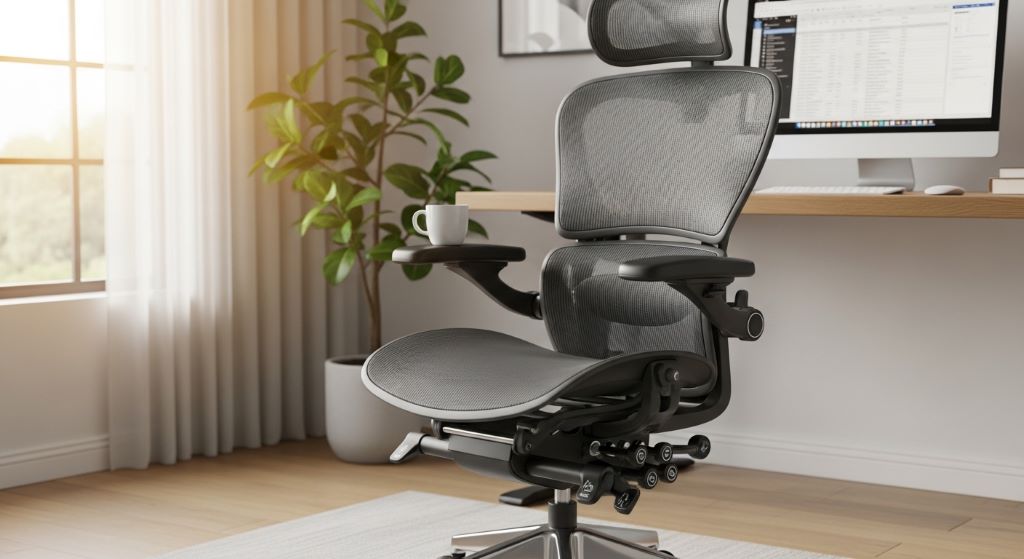
Modern work life often demands that we spend extended periods seated at our desks. Whether you’re working from an office or your home, prolonged sitting can lead to discomfort, pain, and serious health issues if you’re not careful. The good news is that choosing the right seating and developing healthy habits can make a significant difference in how you feel at the end of each day.
Understanding how to set up your workspace and use ergonomic seating correctly transforms your daily experience. This guide will help you create a comfortable environment that supports your body during those long working hours. You’ll discover practical strategies that go beyond just buying an expensive chair.
Understanding the Risks of Extended Sitting
Sitting for prolonged periods affects your body in ways you might not immediately notice. Your muscles become stiff, your circulation slows down, and your spine loses its natural alignment. These changes happen gradually, making them easy to ignore until pain becomes persistent.
Your lower back bears the most stress during extended sitting. The discs in your spine compress under your body weight, and without proper support, this compression increases pressure on nerves and soft tissues. Over time, this can lead to chronic pain that extends beyond your workday.
Additionally, remaining stationary affects your metabolism and cardiovascular health. Studies show that sitting for more than eight hours daily increases health risks significantly. However, the right seating combined with good habits can minimize these negative effects.
Poor circulation in your legs is another common problem. When you sit for hours without moving, blood pools in your lower extremities, causing swelling and discomfort. This reduced circulation can also contribute to fatigue and decreased mental clarity.
Choosing the Right Ergonomic Chair
The foundation of comfort during long work hours starts with selecting appropriate seating. Ergonomic chairs are designed specifically to support your body’s natural curves and reduce strain on muscles and joints.
Look for adjustability as your primary criterion. Every body is different, so your chair needs to accommodate your unique proportions. Seat height adjustment allows you to keep your feet flat on the floor while maintaining proper knee angle. This simple feature prevents circulation problems and reduces lower back strain.
Lumbar support is perhaps the most critical feature for sitting long hours safely. Your lower back has a natural inward curve that needs support to prevent slouching. Quality ergonomic chairs offer adjustable lumbar support that you can position precisely where your spine curves. This support should feel comfortable and encourage you to sit back in your chair.
The seat pan depth matters more than many people realize. When you sit all the way back, there should be about two to four inches of space between the back of your knees and the seat edge. This spacing prevents pressure on your legs while ensuring your back receives proper support.
Armrests serve an important function when adjusted correctly. They should support your forearms while allowing your shoulders to relax naturally. If they’re too high, you’ll hunch your shoulders. If they’re too low, you’ll lean to one side or slouch forward. Adjust them so your elbows rest comfortably at about a 90-degree angle.
Setting Up Your Workspace Correctly
Having the right chair is only part of the equation. How you arrange your entire workspace significantly impacts your comfort and health during extended work sessions.
Your monitor position affects your neck and upper back comfort tremendously. The top of your screen should be at or slightly below eye level. This positioning prevents you from tilting your head up or down repeatedly, which strains neck muscles. Place the monitor about an arm’s length away from you.
Keyboard and mouse placement influences upper body comfort. Keep them close enough that you don’t need to reach forward. Your elbows should remain close to your body, forming approximately a 90-degree angle. Consider using a keyboard tray if your desk height doesn’t allow for this positioning.
Lighting plays a crucial role in preventing eye strain and headaches. Position your desk to minimize glare on your screen. Natural light is ideal, but it shouldn’t shine directly on your monitor or into your eyes. Use task lighting for paperwork to avoid straining your eyes.
Keep frequently used items within easy reach. Repeatedly stretching or twisting to grab things creates unnecessary strain. Organize your workspace so that items you use regularly are accessible without awkward movements.
Developing Healthy Posture Habits
Even the best ergonomic seating won’t help if you don’t use it correctly. Developing and maintaining good posture habits requires conscious effort, especially when you’re focused on work tasks.
Think of your spine as needing three points of contact with your chair: your hips, your mid-back, and your lower back. Sit all the way back in your seat so the backrest can support you. Many people unconsciously slide forward throughout the day, losing the benefit of lumbar support.
Keep your feet flat on the floor or on a footrest. This position stabilizes your lower body and prevents you from crossing your legs, which can twist your spine and restrict blood flow. Distribute your weight evenly across both hips to maintain spinal alignment.
Your head position deserves special attention. Your ears should align with your shoulders, which should align with your hips. This neutral alignment distributes your body weight efficiently and reduces muscle strain. Avoid jutting your head forward toward the screen, as this dramatically increases stress on your neck.
Shoulders should remain relaxed and pulled slightly back. Hunching forward tightens chest muscles and weakens upper back muscles, creating an imbalance that leads to pain. Periodically check your shoulder position and adjust as needed throughout the day.
Incorporating Movement Into Your Routine
Static sitting, even with perfect posture, becomes problematic over extended periods. Your body needs movement to maintain healthy circulation, prevent muscle stiffness, and stay alert. Therefore, building movement into your work routine is essential.
Set a timer to remind yourself to stand and move every 30 to 45 minutes. These breaks don’t need to be long. Even standing for two minutes and performing simple stretches provides significant benefits. Walk to get water, do some shoulder rolls, or simply stand while taking a phone call.
Micro-movements while seated help maintain circulation and reduce stiffness. Ankle circles, shoulder shrugs, and gentle neck rotations can be done without leaving your chair. These small actions prevent muscles from remaining in one position too long.
Consider incorporating a standing desk or desk converter into your routine. Alternating between sitting and standing throughout the day provides the best results. However, standing all day creates its own problems, so balance is key. Start with short standing periods and gradually increase duration as your body adapts.
Walking meetings offer a creative solution for certain work tasks. If you’re on a phone call that doesn’t require note-taking, walk around while you talk. This approach combines productivity with healthy movement.
Creating Work-From-Home Comfort
Working from home presents unique challenges for maintaining comfort during long hours. Without a dedicated office setup, many people work from couches, beds, or dining chairs that aren’t designed for extended use.
Designate a specific workspace in your home. This separation helps both mentally and physically. Choose a quiet area where you can set up proper ergonomic seating and position your equipment correctly. This dedicated space signals to your brain that it’s time to work and helps maintain professional posture habits.
Invest in quality equipment even for home use. The money you save on commuting can go toward a proper ergonomic chair and desk setup. Consider this an investment in your health and productivity. Many people spend more on their home office setup than they initially planned, but they rarely regret it.
Maintain boundaries between work and personal time. When working from home, it’s easy to sit for longer periods without natural breaks that occur in office environments. Set specific work hours and take regular breaks, just as you would in a traditional office.
Temperature and air quality affect comfort significantly. Ensure your workspace has good ventilation and maintains a comfortable temperature. Being too hot or cold causes you to tense your muscles, creating additional strain beyond what sitting already causes.

Addressing Common Comfort Issues
Despite your best efforts, you may still experience discomfort. Recognizing common issues and knowing how to address them helps you maintain comfort throughout long workdays.
Lower back pain often indicates inadequate lumbar support or incorrect sitting depth. Try adjusting your chair’s lumbar support position or adding a small cushion. Ensure you’re sitting all the way back in your seat. If pain persists, take more frequent breaks and incorporate gentle stretching.
Neck and shoulder tension typically results from poor monitor position or armrest height. Check that your screen is at eye level and your armrests support your arms without forcing your shoulders upward. Take breaks to perform neck stretches and shoulder rolls.
Wrist and hand discomfort may signal that your keyboard and mouse are positioned incorrectly. Your wrists should remain neutral, not bent up or down, while typing. Consider using a wrist rest or ergonomic keyboard if problems continue.
Hip and leg numbness suggests your seat pan is too deep or you’re sitting too long without movement. Adjust your chair’s depth if possible, or place a cushion behind your back to effectively shorten the seat. Stand and walk more frequently to restore circulation.
Strengthening Your Body for Better Sitting
Regular exercise outside of work hours supports your ability to maintain good posture habits and reduces discomfort from extended sitting. Certain exercises are particularly beneficial.
Core strengthening exercises support your spine and make maintaining proper posture less tiring. Planks, bridges, and modified crunches all build the abdominal and back muscles that stabilize your torso. A strong core reduces the work your spine must do to keep you upright.
Hip flexor stretches counteract the tightening that occurs from prolonged sitting. When you sit for hours, these muscles shorten, pulling your pelvis forward and straining your lower back. Regular stretching maintains flexibility and reduces pain.
Upper back and shoulder exercises combat the forward slouch that develops from desk work. Rows, reverse flys, and shoulder blade squeezes strengthen the muscles that pull your shoulders back. These exercises create balance with your chest muscles.
Regular walking or other cardiovascular exercise improves overall circulation and maintains general health. This activity offsets some of the metabolic effects of extended sitting. Aim for at least 30 minutes of moderate activity most days of the week.
Making Gradual Improvements
Transforming your workspace and habits doesn’t happen overnight. Making gradual changes and allowing your body to adapt ensures long-term success.
Start with one or two adjustments rather than trying to change everything at once. Perhaps focus first on getting the right chair, then work on monitor position, and finally develop better movement habits. This approach prevents overwhelm and allows you to evaluate what works for you.
Listen to your body’s feedback. Some discomfort during adjustment periods is normal as your muscles adapt to new positions. However, sharp pain or discomfort that worsens over time signals something is wrong. Make adjustments based on what you feel.
Keep a journal of your comfort levels and any pain you experience. Note what adjustments you make and how they affect your comfort. This record helps you identify patterns and determine which changes provide the most benefit.
Be patient with yourself. Building new posture habits takes time. You’ll forget and revert to old patterns occasionally. When you notice this happening, simply correct your position without judgment and continue working on improvement.
Conclusion
Staying comfortable during long work hours requires more than just purchasing an ergonomic chair. It involves creating a complete workspace that supports your body, developing healthy posture habits, and incorporating regular movement into your routine. Work-from-home comfort depends on treating your home workspace with the same attention you’d give an office setup.
The key to sitting long hours safely lies in combining proper equipment with active habits. Adjust your chair and desk correctly, maintain good posture, and take frequent breaks to move and stretch. Remember that even perfect posture becomes problematic if maintained too long without variation.
Developing these habits protects your long-term health and improves your daily comfort. The investment of time and money in creating an ergonomic workspace pays dividends in reduced pain, increased productivity, and better overall wellbeing. Start making changes today, and your body will thank you for years to come.
Frequently Asked Questions
How long should I sit before taking a break?
Aim to stand up and move every 30 to 45 minutes. Even a brief 2-minute break provides significant benefits for circulation and muscle tension. If you get absorbed in work and forget, set a timer or use apps designed to remind you. The more frequently you change positions, the better you’ll feel throughout the day.
Can I work comfortably from my couch or bed?
Couches and beds aren’t designed for work and can’t provide the support you need during extended sessions. While working from these locations occasionally for short periods is fine, making it a regular habit will likely lead to pain and poor posture. Invest in a proper desk and chair for your regular work hours.
What’s the ideal seat height for my chair?
Your seat should be high enough that your feet rest flat on the floor with your knees bent at approximately 90 degrees. Your thighs should be parallel to the ground or angled slightly downward. If achieving this height makes your desk too low for comfortable keyboard use, you may need a keyboard tray or footrest.
How do I know if my chair provides adequate lumbar support?
When sitting properly in your chair, you should feel gentle pressure supporting the inward curve of your lower back. This support should encourage you to sit upright without forcing an uncomfortable arch. If you can slide your hand easily between the chair back and your lower spine, the support may be inadequate or poorly positioned.
Is it better to sit or stand while working?
Neither sitting nor standing all day is ideal. The best approach involves alternating between the two positions throughout your workday. This variation reduces strain associated with any single position. If using a standing desk, start with 15 to 30-minute standing intervals and gradually increase as your body adapts to the change.
Related Topics:
Marketing to Gen Alpha Online: Engaging the Digital Natives
Chatbot Marketing for Lead Nurturing: A Game-Changer for Your Business