

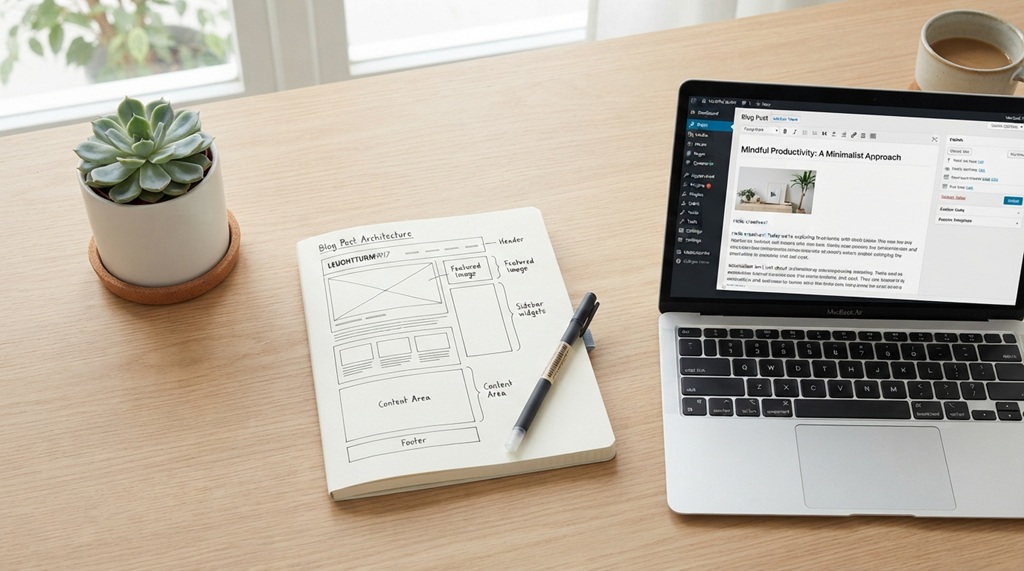
A blog post structure readers love is clear, scannable, and built around one question. It opens with a quick answer, uses descriptive headings, and breaks ideas into short, easy blocks. Every section then moves the reader closer to a useful next step.
Most readers do not read word by word. They skim first, then decide if the page deserves their time. Good structure helps them find value fast.
This guide shows you how to plan, outline, and format posts that people finish. You will also learn how to improve structure for search engines. Each step comes with examples from digital marketing.
What Makes a Blog Post Structure Reader-Friendly?
A reader-friendly structure lets people find answers quickly without effort. It combines a strong hook, logical headings, short paragraphs, and a clear ending. Together, these parts reduce confusion and keep readers on the page.
Think of structure as a map. Readers should always know where they are and what comes next. If they feel lost, they leave.
Here are the core parts of a strong post:
- A headline that matches the search intent
- An introduction that answers the main question
- Headings that preview each section
- Short paragraphs and simple sentences
- Examples, visuals, and lists that break up text
- A conclusion with one practical takeaway
Each part has a job. When one part fails, the whole post feels harder to read.
Start With Search Intent and a Simple Outline
Before you write, decide what the reader wants. Search intent is the reason behind a search. Someone who types “blog post structure” likely wants a step-by-step method, not a history lesson.
Match your structure to that goal. A how-to query needs steps. A comparison query needs side-by-side points. A definition query needs a short answer first.
How to Check Search Intent Quickly
Search your target keyword on Google. Then look at the top results. Notice the format, the headings, and the questions they answer.
Next, check the “People also ask” box. These questions show what readers want to know. You can turn many of them into H2 or H3 headings.
How to Build a Useful Outline
An outline keeps your post focused. Write your main question at the top. Then list the five or six points a reader needs to answer it.
For example, a post about email subject lines might include:
- Why subject lines matter
- How to keep them short
- How to add curiosity
- How to test options
- Common mistakes to avoid
Each point becomes an H2 heading. As a result, your draft has a clear path before you type a full sentence.
Write an Introduction That Hooks the Reader
A strong introduction answers the main question within two or three sentences. It then tells the reader what the rest of the post offers. This builds trust right away.
Many writers delay the answer to create suspense. That approach rarely works online. Readers can click back in seconds, so give value first.
Lead With the Answer
State the answer plainly in your opening lines. Then add a short promise about what follows. For instance, say that the post will cover steps, examples, and common mistakes.
This also helps search engines. Google often pulls short, direct answers into featured snippets. Therefore, a clear opening can increase your visibility.
Keep It Short
Limit your introduction to two or three short paragraphs. Cut background stories unless they support the main point. Instead, move quickly to the body.
A tight introduction respects the reader’s time. In turn, readers are more likely to keep scrolling.
Use Headings to Guide Readers and Search Engines
Headings are the skeleton of your post. They tell readers what each section covers and help them jump to what matters. They also give search engines a clear view of your topic.
Use one H1 for the title. Use H2 headings for main sections. Add H3 headings only when a section has useful subtopics.
Write Headings That Promise Value
A good heading is specific and tells the reader what they will gain. Compare these two examples:
- Weak: “Tips”
- Strong: “Five Ways to Shorten Your Email Subject Lines”
The second heading sets a clear expectation. Readers who skim the page can see the value at once.
Place Keywords Naturally
Include your main keyword in the H1 and in one or two headings. Use related phrases in the others. Do not force the keyword into every heading.
If a heading sounds awkward, rewrite it. Readers notice unnatural phrasing, and so does Google.
Answer First Under Every Heading
Under each heading, give the answer in the first one or two sentences. Then explain with details or examples. This pattern respects skimmers and rewards careful readers.
Make the Body Easy to Scan
Most people scan before they read. Your body text should support that habit. Short blocks, simple words, and clear formatting make a post feel lighter. Creating a clear visual layout keeps readers engaged, but the text itself must also hold their attention. To make sure your written content resonates just as strongly as your layout, learn what makes effective SEO copywriting for blogs.
Keep Paragraphs and Sentences Short
Aim for paragraphs of two to four sentences. Keep most sentences under 20 words. Long blocks of text look heavy, especially on phones.
Use simple words whenever you can. Write “use” instead of “utilize.” Write “help” instead of “facilitate.” Plain language reaches a wider audience.
Use Lists and Bold Text With Care
Lists break complex ideas into small steps. Use bullets for related items and numbers for steps in order. Keep each item short.
Bold text can highlight a key phrase. However, too much bold weakens the effect. Highlight only the few ideas you want skimmers to catch.
Add Transition Words
Transition words connect ideas and guide the reader. Words like “first,” “next,” “however,” and “as a result” show how points relate. They also improve readability scores in tools like Yoast.
Use them naturally. Do not start every sentence with one, or the writing will feel stiff.
Support Your Points With Visuals, Examples, and Links

Visuals and examples make ideas concrete. They also give readers a break from text. Use them to prove a point, not just to decorate.
Use Real Examples From Your Niche
Examples help readers apply advice. If you write for marketers, show a sample headline or a before-and-after intro. Say what changed and why it works better.
Never invent data to support a claim. Instead, use examples you can explain clearly, or cite sources you can verify.
Add Images, Charts, and Screenshots
A screenshot can explain a tool faster than a paragraph. A simple chart can show a process at a glance. Add short alt text that describes each image for accessibility and search.
Place visuals near the text they support. Otherwise, readers may not connect the two.
Link to Helpful Resources
Internal links guide readers to related posts on your site. They also help search engines understand how your content connects. Use descriptive anchor text, such as “email subject line tips,” instead of “click here.”
External links to trusted sources can add credibility. Link only to pages that add real value.
End With a Clear Conclusion and Next Step
A good conclusion summarizes the main idea and tells readers what to do next. It should be brief. Two or three short paragraphs are enough.
Repeat the key takeaway in fresh words. Then add one practical action. For example, ask readers to outline their next post using the steps above.
You can also invite engagement. Ask a question, point to a related guide, or offer a free resource. Choose one call to action so the ending stays focused.
Frequently Asked Questions
What is the best structure for a blog post?
The best structure starts with a short answer-focused introduction. It continues with clear H2 sections, short paragraphs, and helpful examples. It ends with a brief conclusion and one call to action.
How long should a blog post be?
Length should match search intent and topic depth. Many how-to guides work well between 1,500 and 2,000 words. However, shorter posts can rank if they fully answer the question.
How many headings should a blog post have?
Most posts work well with four to seven H2 headings. Add H3 headings only when a section needs smaller parts. Too many headings can make a post feel chopped up.
How do I make my blog post easier to skim?
Use short paragraphs, descriptive headings, and simple lists. Highlight key ideas with bold text sparingly. Also, add visuals to break up long stretches of text.
Does blog post structure affect SEO?
Yes, structure helps search engines understand your content. Clear headings, direct answers, and good formatting also improve the reader experience. Better engagement can support your overall search performance.
Conclusion
A blog post structure readers love is simple, clear, and focused on one question. Start with search intent, answer early, and use headings that promise value. Then keep paragraphs short, add helpful examples, and finish with one clear next step.
Here is your practical takeaway. Before your next post, write the main question and a five-point outline. Check that each heading answers part of that question. If it does, you already have a structure readers will enjoy.