

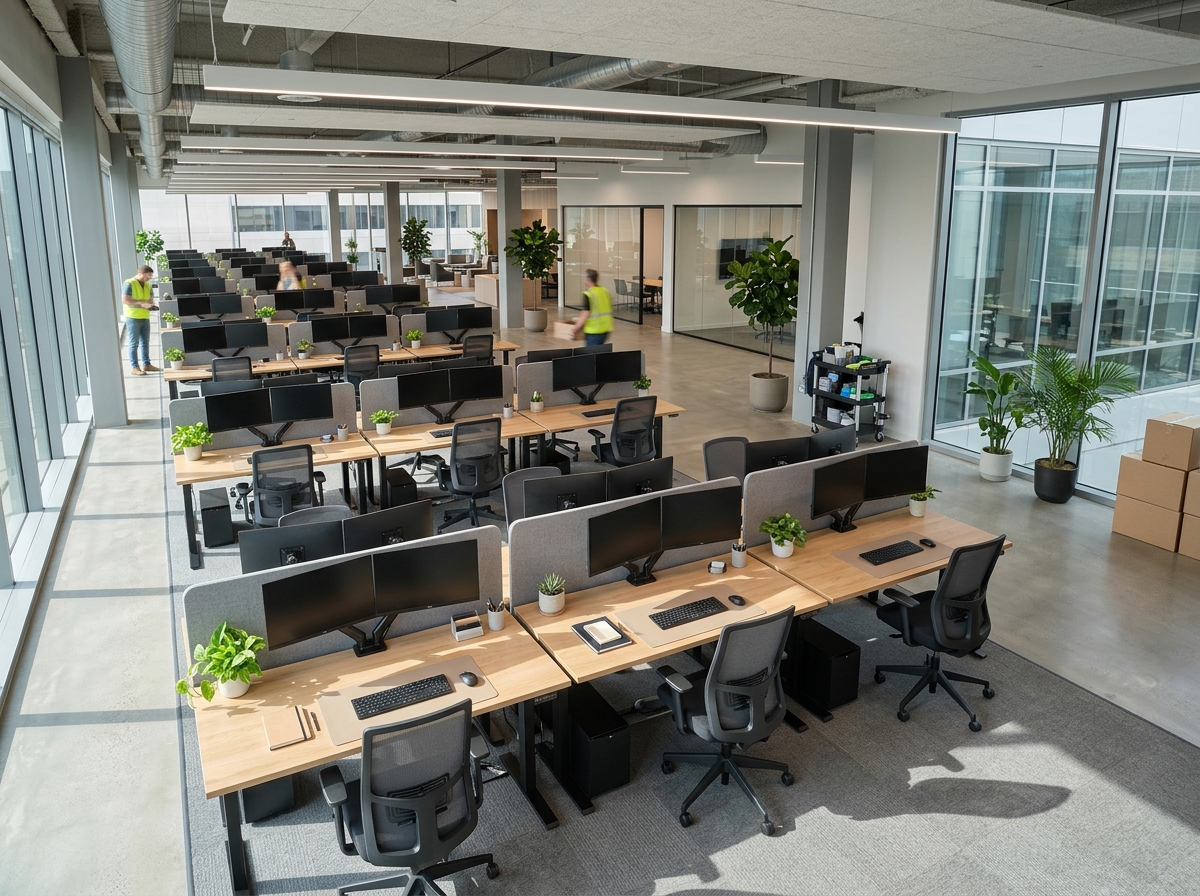
The first morning in a new office feels exciting right up until someone asks where the printer is. Then you realize the Wi-Fi isn’t installed, nobody ordered a surge protector, and the new hire’s chair arrives next Thursday. A new office rarely fails because of big decisions. It stumbles over the dozens of small items nobody remembered to buy.
This checklist walks you through the equipment every new office needs, in a sensible buying order. You’ll see what to get before day one, what can wait, and where to save money without sacrificing reliability. Whether you’re opening a five-person studio or converting a spare room into a headquarters, use it to build a workspace that runs smoothly from the first morning.
Plan Before You Buy
Start with three questions. How many people will work here, and will anyone work remotely part of the week? What does a typical workday involve: client meetings, heavy printing, phone calls, handling confidential records? And how much can you spend now versus over the next six months?
Write down the answers, then sketch your floor plan. Note where power outlets, windows, and network ports sit, because those details decide where desks, printers, and meeting tables belong. Leave walkways clear and think about noise: put printers and shredders away from people who take calls. A little planning here prevents expensive returns later.
Core Technology and Networking
Technology keeps everything else running, so cover it first.
- Computers and laptops matched to the work. Designers and video editors need more power than receptionists.
- Monitors, ideally one or two per workstation, since extra screen space speeds up most knowledge work.
- Router, modem, and wireless access points with enough coverage for your whole floor, not just the front desk.
- Network switch and cabling if you want wired connections for desktops, printers, or phone systems.
- Phones or a business calling service, whichever suits how your clients reach you.
- Headsets, webcams, and microphones for video meetings.
- Backup solution, either cloud storage, an external drive, or both, set up before you create important files.
- Antivirus and security software, plus a password manager for the team.
Don’t skimp on the router. A weak network turns every other purchase into a frustration.
Power and Surge Protection
Offices run on electricity, so protect it. Buy quality surge protectors for every workstation, and match the rating to the equipment you plug into them. Avoid chaining power strips together, which overloads circuits and creates fire risk. Consider an uninterruptible power supply (UPS) for critical gear such as servers, network equipment, and anything that would cost you data if the power flickered. Label cables so you can find the right one without unplugging everything.
Furniture and Ergonomics
People spend most of their working hours at a desk and in a chair, so comfort pays back quickly in focus and fewer complaints.
- Desks sized for dual monitors and paperwork, plus extra surface for notes.
- Adjustable ergonomic chairs with lumbar support and height adjustment.
- Task lighting, since overhead lights alone rarely suit every person or every task.
- Filing cabinets or shelving with locks for sensitive paperwork.
- Meeting table and chairs if clients or teams will visit.
- Reception furniture if customers will wait in your space.
- Whiteboards or corkboards for planning and reminders.
Standing desks and monitor arms are worthwhile upgrades if budget allows. Independent reviews of desk lamps, floor lamps, and workspace gear at //mechoffice.com/ can help you shortlist items before you place a bulk order.
Printing, Scanning, and Document Management
Even in a digital office, paper shows up: contracts, invoices, shipping documents, client forms. Plan for it.
- A multifunction printer that prints, scans, and copies. Choose laser for steady text-heavy work and ink tank for mixed color, based on your monthly volume.
- A paper shredder with a security level that matches your records. Offices that handle confidential files should look at cross-cut or micro-cut models.
- Label makers for folders, shelves, cable runs, and inventory.
- Document storage, whether lockable cabinets, digital archives, or both.
- Supplies such as toner or ink, paper, folders, and envelopes.
Write a simple retention policy early, so you know what to keep, what to scan, and what to shred.
Office Supplies and Stationery
Small items cause outsized frustration when they run out. Stock the basics before day one: pens, highlighters, sticky notes, notebooks, staplers, tape, scissors, paper clips, binder clips, and a first-aid-level supply of batteries and cables. Add calculators for finance and administrative staff, and keep spare chargers and adapters in a labeled drawer. Buy modestly at first, then reorder based on what your team actually uses over the first month.
Meeting and Presentation Gear
Client meetings and team updates depend on equipment that works the first time. Depending on your space and style, consider:
- A projector or large display, sized to the room and the viewing distance
- Video conferencing equipment, including a camera, speakerphone, or conference microphone
- HDMI, USB-C, and adapter cables for visiting presenters
- A wireless presentation clicker and spare batteries
- Screen or wall space with controlled light, since glare ruins presentations
Test everything before the first meeting. Few things undermine confidence like fumbling with a cable while a client waits.
Safety, Security, and Facilities
No checklist is complete without the unglamorous essentials: a first-aid kit, fire extinguishers placed according to local rules, smoke detectors in working order, clear emergency exits, and a plan for emergencies. Add secure locks, an alarm or monitoring service if your insurance or location calls for it, and a visitor sign-in routine. Check your local requirements and your lease, because rules differ by area and by building type.
Lease, Buy, or Go Refurbished?
You don’t have to buy everything new. Weigh each category by how fast it loses value and how critical it is.
| Option | Best for | Watch out for |
| Buy new | Computers, chairs, printers you’ll use for years | Higher upfront cost |
| Buy refurbished | Furniture, monitors, networking gear | Warranty length and return terms |
| Lease or subscribe | Copiers, high-end printers, equipment that changes quickly | Total cost over the lease term and early-exit fees |
| Borrow or share | Rarely used items like large-format printers | Scheduling and wear |
For many startups, a mix works best: buy durable essentials, refurbish furniture, and lease the equipment that becomes obsolete quickly. Compare the total cost across the whole period you expect to use each item, not just the first payment.
A Phased Budget That Protects Cash
New offices burn cash faster than owners expect, so spread purchases across phases.
| Phase | What to buy |
| Before day one | Computers, router and network, power protection, desks and chairs, basic supplies, printer or multifunction device, first-aid and safety gear |
| First 90 days | Shredder and document storage, label makers, meeting equipment, task lighting, extra monitors, backup upgrades |
| After six months | Premium chairs, standing desks, decor, specialized tools, upgrades based on real usage |
Track actual spending against your plan each month. The numbers tell you quickly where you overbought and where you need more. For ideas on trimming overhead as you grow, the business operations and cost management articles at //unixtrades.com/ are worth reading, and //studyofstocks.com/ offers investing resources for owners who want to put profits to work later.
Common Mistakes to Avoid
- Buying everything at once. Needs shift after the team settles in, so stage your purchases.
- Ignoring ergonomics. Cheap chairs create expensive discomfort.
- Underbuilding the network. Slow Wi-Fi hurts every task and every meeting.
- Skipping backups. Data loss costs far more than any piece of hardware.
- Forgetting recurring costs. Ink, toner, software subscriptions, and maintenance add up each month.
- Neglecting security. Locks, shredders, and secure storage protect your clients and your reputation.
- Skipping receipts. Keep invoices for every purchase, since many business equipment costs may be deductible. Ask your accountant how to treat them.
Frequently Asked Questions
What equipment do I need to start a small office? At minimum: computers, reliable internet and a router, desks and ergonomic chairs, surge protection, a printer or multifunction device, basic supplies, and safety gear. Add specialized tools for your industry.
How much should I budget for office equipment? It varies widely by industry and team size. Build a bottom-up estimate from your checklist, add a cushion of 10 to 20 percent for surprises, and stage purchases to protect cash flow.
Is it better to buy or lease office equipment? Buy durable items you will use for years. Lease equipment that becomes outdated quickly or costs a lot upfront, such as large copiers. Compare total cost over the full term.
Should I buy refurbished equipment? Often yes, for furniture, monitors, and networking gear, as long as it comes with a warranty and a return policy. Be more cautious with items that wear out quickly or hold sensitive data.
What do new offices most often forget? Surge protectors, backups, document storage, a shredder, task lighting, and safety equipment. Small items cause the biggest first-week headaches.
Conclusion
A well-equipped office doesn’t come from a single shopping spree. It comes from a clear plan, a sensible buying order, and a willingness to adjust after your team settles in. Cover technology, power, comfort, document security, and safety first, then add upgrades as you learn how your team actually works.
Ready to build your list? Copy this checklist into a spreadsheet, assign a budget and a deadline to each line, and start with the items you need before day one. Read independent reviews of printers, shredders, label makers, and office furniture at MechOffice.com, and your new office will be ready to work when you are.