

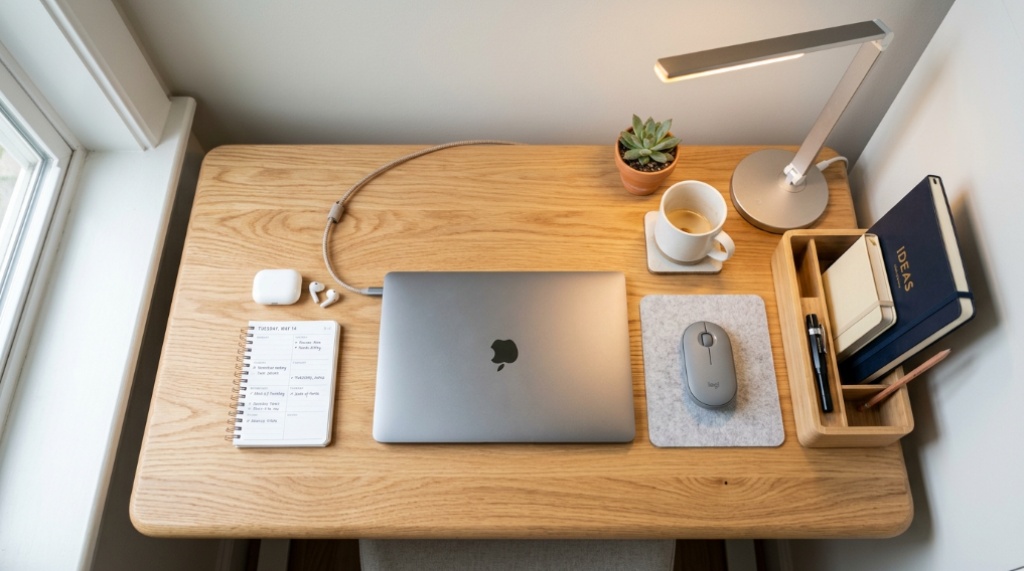
A small desk can turn from a productive workspace into a cluttered mess in a matter of days, especially when every item you own has nowhere to go. The problem usually is not the size of the desk itself, but the lack of a system for what stays on top, what goes in a drawer, and what should not be there at all. If you have been searching for a lighting or workspace upgrade to pair with your setup, check this review before you reorganize, since the right lamp can actually change how much usable surface area you have. This guide walks through a practical approach to keeping a compact desk both tidy and genuinely functional.
Quick Answer
To keep a small desk organized and functional, follow a few core principles: keep only daily-use items on the surface, use vertical and wall-mounted storage instead of horizontal piles, group items by task rather than by type, and set up a five-minute reset routine at the end of each day. Declutter first, then choose organizers that fit your specific workflow rather than buying generic sets. The goal is not a perfectly styled desk, but one you can actually use without moving things out of the way.
Key Takeaways
- Clear everything off the desk first, then only return items you use daily; everything else belongs in a drawer or elsewhere.
- Vertical space, wall mounts, and monitor arms free up more surface area than horizontal organizers or stacked trays.
- Task-based zones (writing, typing, charging) keep items where you use them instead of scattered across the desk.
- A short daily reset routine prevents clutter from rebuilding, which matters more than any single organizing product.
- Lighting and cable management are functional issues, not cosmetic ones; poor lighting and tangled cords make a small desk feel smaller.
Why Small Desks Fail So Quickly
The core problem with a small desk is that it has almost no tolerance for unused items. On a large desk, a stray notebook, an old receipt, and a second charger can sit for weeks without causing problems. On a small desk, the same three items can consume a meaningful portion of your working area and force you to shuffle things around constantly.
There is also a psychological element. When a desk feels cramped, people tend to avoid dealing with small messes because the desk already feels like a lost cause. That creates a cycle where clutter builds until the desk becomes unusable for actual work. Breaking that cycle requires a system, not just a one-time cleanup.
Another overlooked factor is that most organizing advice assumes you have more space than you do. Drawer dividers, stacked trays, and multi-tier organizers can actually make a small desk worse by adding bulk. The right approach is to subtract before you add, and to use the space you already have more intelligently.
Start by Decluttering, Not by Buying Organizers
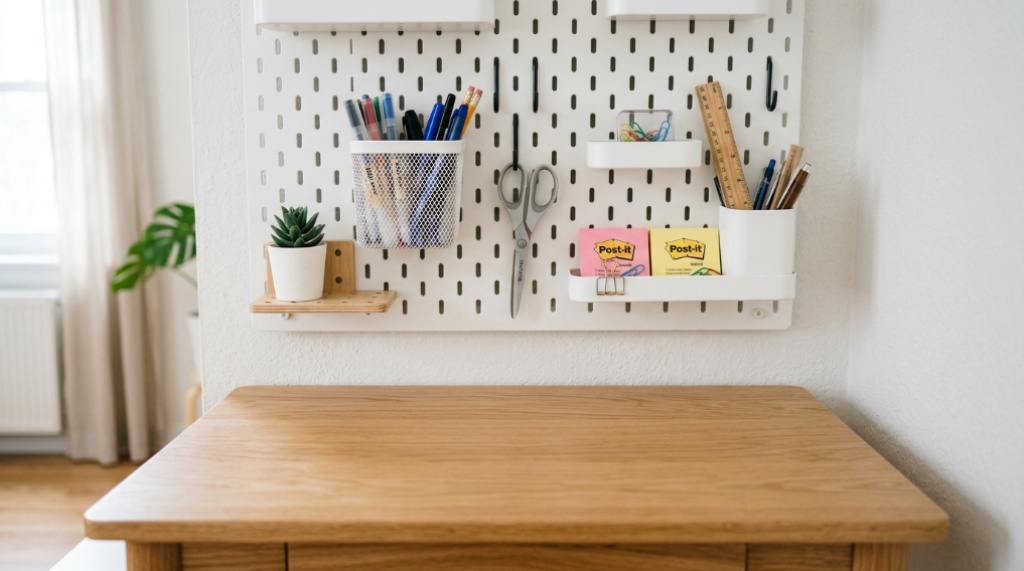
Before buying anything, remove every item from your desk surface. This sounds excessive, but it is the fastest way to see what you are actually working with. Once the desk is empty, you can sort items into three categories.
- Daily essentials: Items you touch every time you sit down (keyboard, mouse, primary notebook, pen, phone, headphones).
- Occasional items: Things you use a few times a week (stapler, external drive, backup pens, reference materials).
- Everything else: Items that ended up on the desk but have no real reason to be there.
Daily essentials go back on the desk. Occasional items go in a drawer within easy reach. Everything else leaves the desk entirely. This single step often solves more of the problem than any organizing product.
A common mistake is skipping this step and buying a set of desk organizers first. You then end up organizing clutter instead of removing it, which makes the desk feel more crowded, not less.
Use Vertical Space and Wall Mounts to Reclaim Surface Area
On a small desk, the surface is the most valuable real estate you have. Every item you can move off the surface, even by a few inches, improves how usable the desk feels.
Wall-mounted solutions are especially effective because they use space that would otherwise be empty. Options worth considering include:
- A wall-mounted shelf above the desk for books, plants, or frequently used items
- A pegboard or magnetic board for tools, notes, and small accessories
- A monitor arm that clamps to the desk edge or wall, eliminating the monitor’s base footprint
- A wall-mounted or clip-on lamp instead of a freestanding one that takes up corner space
- Adhesive or screw-mounted hooks for headphones and cables
For example, replacing a freestanding desk lamp with a clamp-style or wall-mounted light can free up a surprising amount of surface area, especially on a desk that is already narrow. The same principle applies to monitor stands: a monitor arm removes the base entirely, opening the space underneath for a keyboard or notebook when the monitor is not in use.
The trade-off is that wall-mounted solutions require drilling or adhesive mounting, which may not be possible if you rent or have fragile walls. In those cases, clamp-based mounts are a practical alternative because they attach to the desk edge itself and are removable.
Group Items by Task, Not by Category
Most people organize by category: all pens together, all cables together, all papers together. On a small desk, that approach often fails because it separates items you actually use together.
A more effective approach is task-based zoning. Think about the specific activities you do at your desk and group items around those activities.
- Typing zone: Keyboard, mouse, wrist rest, coaster
- Writing zone: Notebook, pen, sticky notes, highlighter
- Charging zone: One cable per device type, a small charging pad or hub, phone stand
- Reference zone: Anything you need to glance at while working (calendar, notes, small whiteboard)
This reduces movement. Instead of reaching across the desk for a pen while writing, or searching for a cable while your phone is dying, everything you need for a given task is already in one place. Task-based zoning also makes cleanup faster, because you are returning items to a logical group rather than to scattered spots.
Cable Management Is Not Optional on a Small Desk
Tangled cables make a small desk feel chaotic even when nothing else is wrong. They also make it harder to clear the surface quickly, because you cannot simply lift items without snagging something.
Basic cable management steps that work well on small desks:
- Reduce the number of cables by consolidating chargers and using a single multi-port hub where possible.
- Route cables along the back edge of the desk and secure them with adhesive clips or a cable tray.
- Label both ends of cables if you use several, so you can identify them without tracing the whole line.
- Use a small under-desk basket or drawer to store cables you are not currently using.
- Choose one charging spot and keep all charging cables there, rather than having cables draped across multiple areas.
A useful side benefit of good cable management is that it makes the desk easier to move, clean, and reconfigure. If you ever need to shift your setup, you are not untangling a mess of cords every time.
Choose the Right Lighting for a Compact Workspace
Lighting affects both how the desk feels and how much you can actually do at it. Poor lighting forces you to lean in, creates shadows over your work area, and can make a small desk feel more cluttered than it is because you cannot clearly see what is on it.
For a small desk, three lighting considerations matter most:
- Footprint: A clamp-on or wall-mounted light avoids taking up surface space that a base-mounted lamp would occupy.
- Adjustability: A light you can angle and reposition handles different tasks (reading, typing, drawing) without needing a second lamp.
- Color temperature: Cooler light (around 5000K) tends to work well for focused tasks, while warmer light (around 3000K) is easier on the eyes in the evening.
If you are comparing specific options, it is worth checking reviews that focus on footprint, clamp stability, and how the light performs at different angles, since a lamp that seems fine in photos can still take up more room than expected or cast uneven light.
A Five-Minute Daily Reset Routine
No organizing system survives without maintenance. The simplest and most effective maintenance habit for a small desk is a short reset at the end of each work session. Five minutes is usually enough.
A practical reset routine:
- Return any item that does not belong on the desk to its drawer or storage spot.
- Straighten the keyboard, mouse, and any papers you will need tomorrow.
- Deal with any loose paper immediately (file it, recycle it, or put it in a pending folder).
- Wipe the surface if needed.
- Coil or tuck any cables that were moved during the day.
The value of this routine is that it resets the desk to a neutral state, so you start the next day with a clear surface instead of yesterday’s clutter. Over a week, this makes far more difference than a single deep clean.
Common Mistakes That Undo Your Progress
Even people who organize well often fall into a few recurring traps on small desks.
- Buying organizers before decluttering: This usually adds bulk instead of solving the problem.
- Using stacked trays or multi-tier racks: These increase vertical clutter and make the desk feel taller and more crowded.
- Keeping “just in case” items on the surface: A second charger, an extra notebook, or a rarely used tool does not belong within arm’s reach.
- Ignoring the space under the monitor: A monitor arm or riser can convert dead space into storage or a keyboard parking spot.
- Skipping the daily reset: Clutter rebuilds quickly when there is no routine to catch it.
One more mistake worth noting: choosing storage that does not match your actual workflow. A pen cup is useless if you never use pens, and a drawer organizer is wasted space if your items do not fit its compartments. Match storage to your real habits, not to a generic template.
Frequently Asked Questions
How often should I reorganize a small desk?
A full reset about once a month is usually enough. Daily maintenance takes about five minutes, and a monthly session lets you reassess whether your storage is still working or whether items have accumulated again.
Is a wall-mounted shelf better than a desk organizer?
For a small desk, wall-mounted or vertical storage is usually more effective because it does not reduce your usable surface area. Desk organizers can still work, but they should hold only items you use daily.
What should stay on a small desk at all times?
Only items you use every time you sit down: your keyboard, mouse, primary writing tool or notebook, and whatever device you are actively working on. Everything else belongs in a drawer or elsewhere.
How do I handle cables on a narrow desk?
Reduce the number of cables you need, route them along the back edge with clips or a tray, and keep one designated charging spot. Consolidating chargers into a single hub is one of the most effective fixes.
Does lighting really affect desk organization?
Yes, indirectly. Good lighting makes it easier to see and sort items, reduces eye strain, and helps the desk feel less cramped. Poor lighting can make even a tidy desk feel messy because details are hard to distinguish.
Can a small desk still be productive for long work sessions?
Yes, if the surface is kept clear and everything you need is within reach. The key is preventing items from accumulating, because once a small desk gets crowded, it becomes much harder to use comfortably for extended sessions.
Conclusion
Keeping a small desk organized and functional comes down to a few practical habits: declutter before you organize, use vertical and wall-mounted storage instead of horizontal piles, group items by task, manage cables, and do a short reset at the end of each day. Lighting also plays a real role, particularly on compact desks where every square inch matters. Start with the decluttering step and the daily reset, then refine your setup over time. You do not need a bigger desk; you need a system that fits the one you already have.